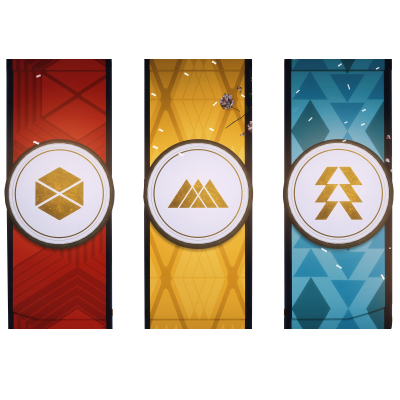
We will get you the selected number of Gold Medals!
Gold Medals
Choose Amount
Choose Amount
1 Medal
2 Medals
3 Medals
?
We will get you the selected number of Platinum Medals!
Platinum Medals
Choose Amount
Choose Amount
1 Medal
2 Medals
3 Medals
Diamond Medal
?
We will get you the Diamond Medal of the Guardian Games available for the current week!
$ 24.99
Additional Options
?
Account sharing for this service is required.
Boost Method
Piloted
Piloted
Class
Hunter
Hunter
Warlock
Titan
2 Characters (-5%)
3 Characters (-10%)
?
If you have the Cross Save option enabled, please select the platforms you have the game on, so we can easily match the best booster for the job!
Cross Save
Not Active
Not Active
PC | XBOX
PC | PS
XBOX | PS
PC | XBOX | PS
Stream
?
A private stream link will be provided by your booster in you order chat or from the 24/7 live support!
$ 5.99
Appear Offline
?
Using the option the booster will be appear offline to your friends. (Keep in mind we can't appear offline if the boost requires self play or a party.)
$ 0
Priority
?
Extreme attention towards your order. Fastest start and completion by our best boosters!
20 %
Guardian Games Medals Boost
There are 5 different types of medals that you can deposit - Diamond, Platinum, Gold, Silver & Bronze, and they will reward you points toward your common class goal, as well as an additional reward pack. If you want to help your favorite class and get your medals and bounties rewards, but you don't want to do the tedious farming yourself, order our Guardian Games Medals Boost and we will help you to get them all.
Complete Your Order
Total price700
Add to cart
Request Booster Response
No response from your booster?
Use this feature when your booster hasn't responded to your messages in the order chat. This will send a high-priority notification directly to them.
Important Information
Please note:
Boosters are often focused on gameplay while working on orders and may miss chat messages
Our system can detect when boosters are online but distracted
This notification will reach them even during active gameplay sessions
Only use this when there's been no response for at least 30 minutes
Request Client Response
Send email to client
This will send an email notification to the client, letting them know that you're waiting for their response in the order chat.
Important Information
When you request client response:
An email notification will be sent to the client
The client will be asked to check the order chat
This feature should be used when you need client input to proceed
Please use this feature responsibly
Complete Order
Ready to submit for client review?
This will notify the client that the order is ready for their confirmation.
Make sure you've attached images as proof of completion.
What happens next
The client will be asked to confirm the order completion
You can still chat while awaiting their confirmation
Payment is released once the client confirms
Review and confirm your order
By marking as received, you confirm delivery is complete. Refunds are not available after confirmation.
Request Admin Confirmation
You're requesting an admin to manually confirm this order because the client hasn't responded.
An admin will join the chat, review the order, and confirm it on the client's behalf if appropriate.
This will create a support ticket. Please only use this after the client has failed to confirm within 72 hours.
Leave Chat
Are you sure you want to leave this chat?
You can rejoin the chat later from the order details page.
Report an Issue
What's the problem?
Select a category and describe your issue. An admin will join this order's chat to help resolve the problem directly with you.