

Collecting loot is only half the battle in ARC Raiders. What you do with the hundreds of items you gather during raids determines how quickly you can upgrade your gear and push forward through the game. This guide covers everything about recycling and selling items, from managing your stash at Speranza to making quick decisions when you're knee-deep in a raid.
Understanding the Recycling System
Every item you pick up in ARC Raiders can be converted into something useful. Loot from buildings, structures, and downed bots all has value beyond just sitting in your stash. The game gives you two main ways to clear inventory space and get something back from your haul.
Recycling breaks items down into crafting components. You need these materials to build and upgrade gear, utilities, and weapons. This is how you build long-term power.
Selling converts items directly into Coin, which you spend at traders. You get immediate purchasing power but lose out on potential crafting materials.
Both methods free up stash space, but picking the wrong option for a given item can waste valuable resources. Learning which items to recycle versus sell is one of the first skills you should develop.
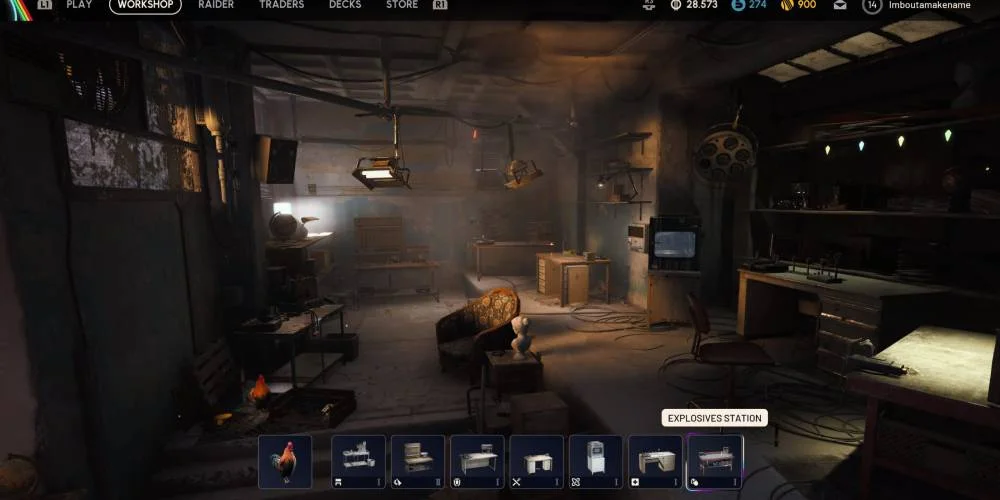
How to Recycle and Sell Items at Speranza
You don't need to visit special vendors or machines for recycling or selling. Unlike many similar games where you'd expect to track down a specific trader or station, ARC Raiders handles all item management through your inventory interface.
Step-by-Step Process
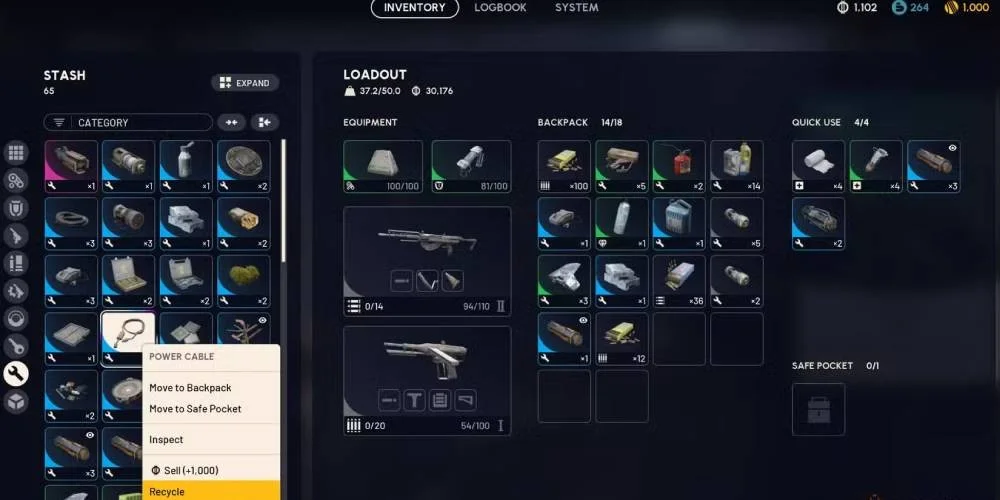
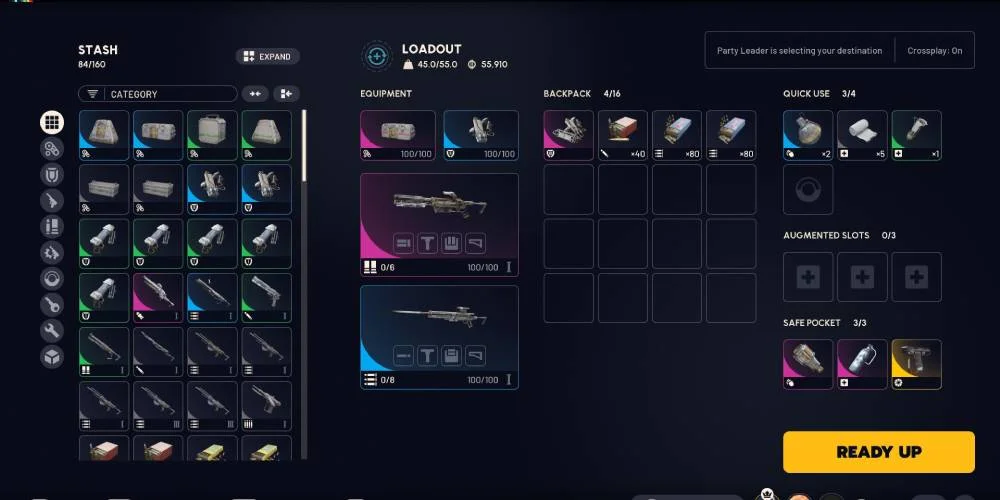
- Open your inventory. Access it from the workshop area. On PC, press Tab while in the workshop menu. On PlayStation, tap the touchpad. On Xbox, use the select/back button.
- Find the item you want to process. Browse through your stash or character inventory. Hover over items to see their details, including tags and what materials they break down into.
- Open the action menu. Right-click with your mouse on PC. Press Triangle on PlayStation or Y on Xbox.
- Pick your action. Choose "Recycle" to break the item into crafting components, or "Sell" to convert it to Coin.
- Confirm your choice. You'll see exactly what the item breaks down into (for recycling) or how much Coin you'll receive (for selling) before finalizing. Once confirmed, there's no going back. A recycled or sold item is gone for good.
You can also do this from the loadout screen if you want to make pre-match adjustments.
Recycling During Raids: The Salvage System
Inventory problems show up fast during raids. You start with limited slots and weight capacity, especially early on. When you're over-encumbered but don't want to abandon valuable loot, there's an alternative to just dropping items.
How Salvaging Works
During a raid, the recycling function is called Salvage. The process works the same way as recycling at base:
- Open your inventory during the raid
- Select the item you want to break down
- Open the action menu (right-click on PC, Triangle on PlayStation, Y on Xbox)
- Select "Salvage"
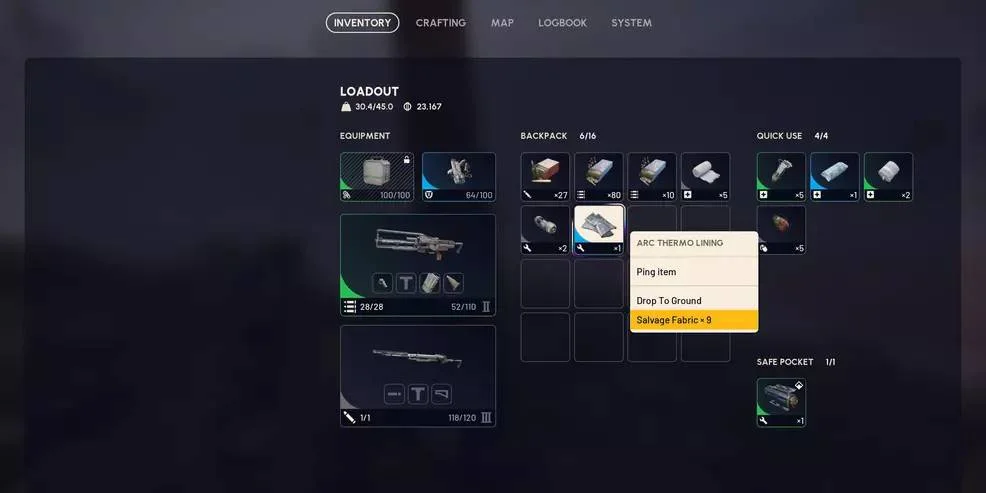
Reduced Returns
Salvaging during a raid gives you fewer materials than recycling the same item back at Speranza. This reduced return is the cost of processing items on the go without proper equipment. Still, getting some materials beats abandoning items entirely.
- Your inventory is full and you've found better items
- You need specific components right now
- An item's weight is stopping you from carrying more valuable loot
- A teammate needs the item (sharing helps the whole squad)
- You're close to extraction and can process it at base for full value
- The item might be needed for station upgrades (check first)
Identifying What to Recycle vs. Sell
Making smart decisions requires understanding the tagging system ARC Raiders uses to categorize items.
Items to Recycle
Look for the "Recyclable" tag when examining items. The description will say something like "Can be recycled to get materials" or show what components it breaks down into.
Items tagged as Recyclable exist primarily to be broken down. These are designed for recycling and usually don't have other significant uses.
Items to Sell
Items marked with a diamond symbol in their thumbnail, often found in the Misc section of your stash, are typically Trinkets. These exist to be sold and aren't used in crafting or upgrades. Selling trinkets gives you solid Coin value and clears stash space efficiently.
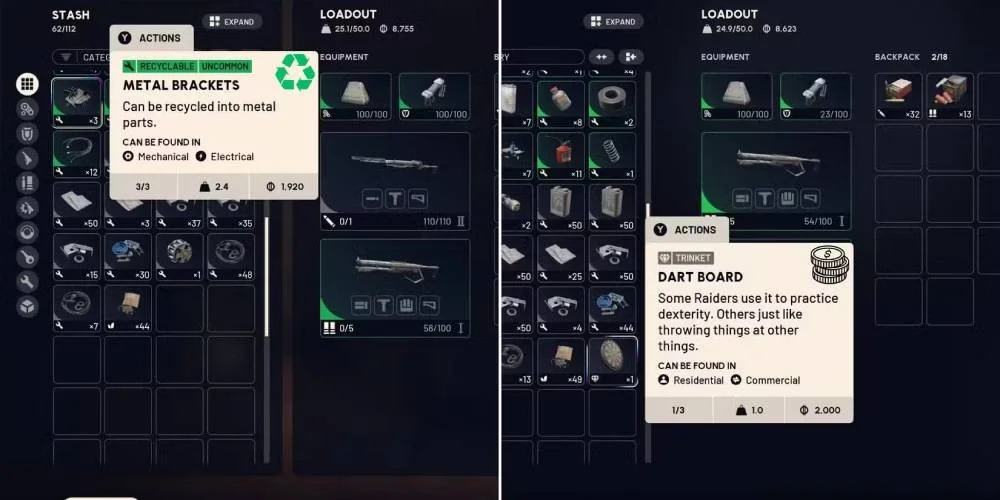
Items That Need More Thought
Some items fall into a gray area where both options make sense:
Food items sell for decent prices but also get used in certain upgrades. Think about your current upgrade priorities before selling food.
Upgrade and crafting materials can technically be recycled or salvaged, but you generally want to bring these back to Speranza first. That way you get full value and can use them for their intended purpose.
Items without clear tags need extra attention. Some items that look recyclable are actually needed for station upgrades, and this requirement might not show up in the item description. Power Cables, for example, can be recycled into Wires, but they're also required for certain station upgrades. You won't always see that info on the item itself.
Common Mistakes to Avoid
Recycling Trinkets
Trinkets look like junk but sell for solid Coin. Recycling them throws away their main value.
Skipping Item Descriptions
Always hover over items and read the full description. Some items mention specific crafts they're used for, like building particular weapons. Don't recycle these if you need them for that purpose.
Rushing Through Your Inventory
Early on, you won't fully understand which items are valuable for what. Take time to check descriptions and tags before processing anything. Players are still figuring out the true value of certain items.
Recycling Everything Right Away
Just because you can recycle something doesn't mean you should do it immediately. Items labeled Recyclable might still sell well or be needed for workshop station upgrades. Don't reflexively recycle the moment you find something.
Salvaging Items Your Team Needs
In squad play, communicate before salvaging. If a teammate needs an item you're about to break down, drop it for them instead. Converting it to components only benefits you.
Strategic Approaches by Game Phase
Focus mainly on recycling to build up your crafting component stockpile. You need materials to craft and upgrade gear, utilities, and weapons. The components you get from recycling let you survive tougher expeditions.
Save trinkets for selling since their Coin value helps with trader purchases. Be careful about recycling items until you know what station upgrades require.
Once you have a stable crafting supply, shift toward selling more items to build your Coin reserves. Trader purchases matter more as you unlock higher-tier goods.
Keep recycling items specifically tagged for it, but feel more comfortable selling excess materials you don't need right away.
Clear your inventory after every run. Processing items regularly prevents stash overflow and reduces the need to buy stash expansions. Making a habit of selling or recycling after each extraction keeps your storage organized and ensures you always have room for new loot.
Tips for Efficient Item Management
- Read descriptions before deciding. Some items tagged as recyclable can craft rare equipment. A quick check prevents costly mistakes.
- Prioritize robot parts and similar drops for recycling. These provide great crafting materials that fuel meaningful upgrades.
- Work with offline earnings. When you log back in after time away, you might have free resources waiting. Factor these into your crafting plans.
- Call out loot in squads. Let your team know about trinkets and valuable items so everyone can make smart decisions about what to keep and what to process.
- Review station upgrade requirements. Before recycling any item, verify it isn't needed for a workshop upgrade. This info might not appear in the item description, so check your upgrade trees periodically.
Summary
Recycling and selling in ARC Raiders don't require special equipment. Everything happens through your inventory interface. Recycle items tagged as Recyclable to get crafting components. Sell items marked with the diamond symbol (trinkets) for Coin. Carefully evaluate items that fall between these categories.
During raids, use the Salvage function to break down items on the go. You'll get reduced returns, but it's better than leaving things behind. Always extract safely to keep your loot, and process items after every run to keep your storage under control.
Understanding these systems helps you squeeze value from every item you collect, speeding up your progression and keeping you ready for harder challenges.