

Marathon is Bungie's PvPvE extraction shooter set on the abandoned colony world of Tau Ceti IV. The game is actually a reboot of a series Bungie created back in the 90s, though only the sci-fi setting and name carry over. The originals were traditional first-person shooters, not extraction games. In this new version, you pick one of six different Runner Shells (think character classes with unique playstyles) and explore the derelict world hunting for resources, grabbing equipment, and fighting other players and environmental hazards. You can go solo or team up.
This guide covers everything confirmed about Marathon's PC requirements, breaks down what those specs actually mean for your hardware, and helps you figure out if your system can handle the game.
Official System Requirements
Before getting into analysis, here are the complete official specs from Marathon's Steam listing.
Minimum System Requirements
| Component | Requirement |
|---|---|
| Operating System | Windows 10 64-bit (latest Service Pack) |
| Processor | Intel Core i5-6600 / AMD Ryzen 5 2600 |
| Memory | 8 GB RAM |
| Graphics Card | NVIDIA GeForce GTX 1050 Ti (4 GB) / AMD Radeon RX 5500 XT (4 GB) / Intel Arc A580 (8 GB, with ReBAR on) |
| DirectX | Version 12 |
| Network | Broadband Internet connection |
Recommended System Requirements
| Component | Requirement |
|---|---|
| Operating System | Windows 10 64-bit (latest Service Pack) |
| Processor | Intel Core i5-10400 / AMD Ryzen 5 3500 |
| Memory | 16 GB RAM |
| Graphics Card | NVIDIA GeForce GTX 2060 (6 GB) / AMD Radeon RX 5700 XT (8 GB) / Intel Arc A770 (16 GB, with ReBAR on) |
| DirectX | Version 12 |
| Network | Broadband Internet connection |
Why Are Marathon's Requirements So Low?
Marathon's system requirements stand out for how accessible they are. The minimum specs let players with hardware nearly a decade old jump in. This isn't accidental.
Art Style Makes the Difference
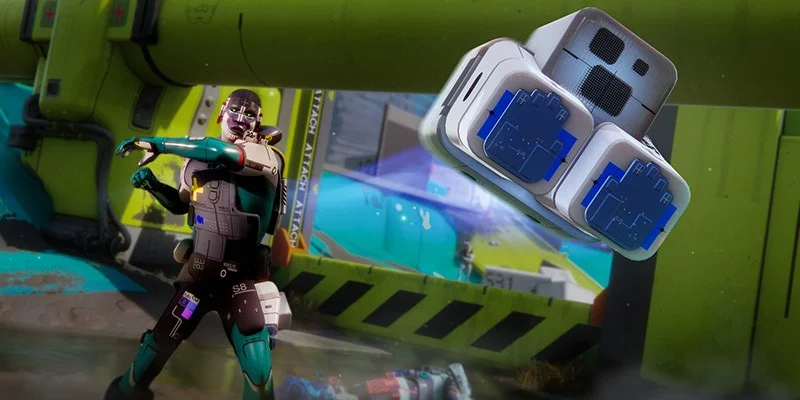
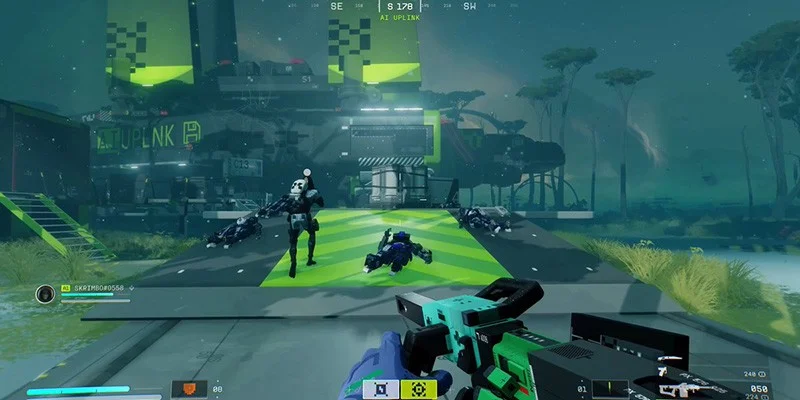
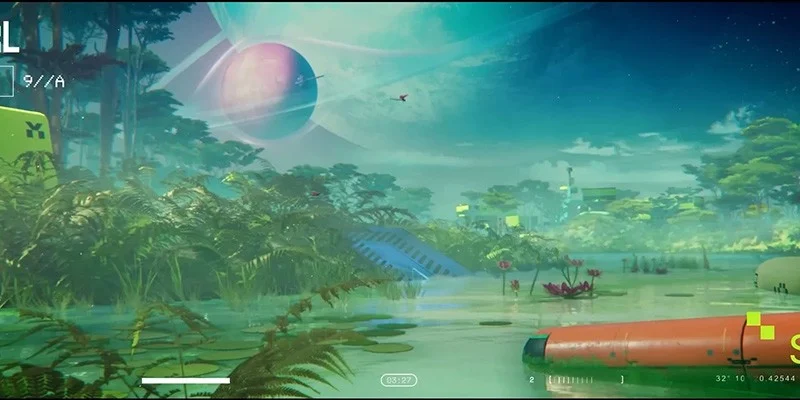
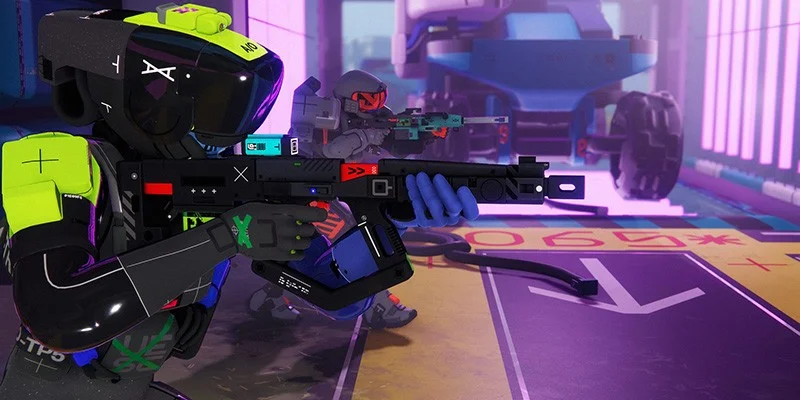
Marathon's visual style plays a big role here. The game has a distinctive look that's been compared to animated films like the Spider-Verse series mixed with the colorful sci-fi aesthetic of No Man's Sky. Because Bungie isn't chasing photorealism, the game can look visually striking without needing cutting-edge hardware to run.
Bungie's Track Record with PC Performance
Bungie has built a reputation for creating games with responsive controls and strong visuals that don't require bleeding-edge specs. Their titles typically run well across a wide range of PC configurations.
This history gives some confidence that Marathon will deliver on its modest requirements. When Bungie lists a GTX 1050 Ti as playable, their track record suggests the experience will actually be acceptable rather than a slideshow. They tend to prioritize smooth, responsive gameplay, which is especially important for competitive shooters where input lag and frame drops can cost you fights.
The combination of Marathon's stylized visuals and Bungie's technical expertise suggests the game should look good and play well even on older hardware. Players with beefier systems will obviously enjoy higher settings and smoother frame rates.
Stacking Up Against Arc Raiders
Marathon's requirements closely mirror Arc Raiders, another extraction shooter that found success with accessible hardware demands. In some areas, Marathon is even less demanding, requiring only 8 GB of RAM compared to Arc Raiders' 12 GB minimum.
Detailed GPU Analysis
The graphics card requirements deserve a closer look because the official specs have some weird inconsistencies that make them tricky to interpret.
The Minimum GPU Problem
Bungie lists three graphics cards as meeting minimum requirements:
- NVIDIA GeForce GTX 1050 Ti (4 GB)
- AMD Radeon RX 5500 XT (4 GB)
- Intel Arc A580 (8 GB)
But these three cards perform at vastly different levels in typical gaming scenarios.
The GTX 1050 Ti launched in October 2016 at $139 as a budget option. It's a decade-old card from NVIDIA's lower tier. If Marathon truly runs acceptably on this hardware, that's impressive work from Bungie.
The RX 5500 XT launched in 2019 and delivers roughly 65% more performance than the GTX 1050 Ti on average. Both are 4 GB cards, but the performance gap between them is huge.
The Intel Arc A580 is more powerful still, performing roughly on par with or slightly better than an RTX 2060 in many games. This card sits much closer to the recommended tier than minimum in terms of raw capability.
This mismatch makes the minimum requirements confusing if you're trying to figure out where your hardware falls. If you own something between the GTX 1050 Ti and RX 5500 XT in performance (like an RX 570, GTX 1650, or RX 480), the specs don't clearly tell you whether you meet minimums or not.
Where Unlisted GPUs Fall
Since many players own graphics cards not specifically listed in Marathon's requirements, here's how common GPUs stack up against the minimums and recommendations based on general performance hierarchies:
Above the GTX 1050 Ti minimum but below the RX 5500 XT:
- GTX 1650 (around 30-40% faster than the 1050 Ti)
- RX 570 (around 40-45% faster than the 1050 Ti)
- RX 480 (around 50-55% faster than the 1050 Ti)
- GTX 970 (around 45-50% faster than the 1050 Ti)
Between minimum and recommended tiers:
- GTX 1650 Super (about 70% faster than the 1050 Ti)
- GTX 1660 (between the 1650 Super and RTX 2060)
- RTX 3050 (comparable to the GTX 1660)
- GTX 1070 (approaching RTX 2060 performance)
- GTX 1070 Ti (very close to RTX 2060 performance)
At or above recommended tier:
- RTX 2060 / RX 5700 XT / Arc A770 (the listed recommendations)
- RTX 3060 and above (should hit stable 60+ FPS comfortably)
- RX 6600 and above
If your GPU falls anywhere in the "above minimum" categories, you should be able to run Marathon. Cards in the middle tier will likely handle medium settings at 1080p, while those meeting or exceeding recommended specs shouldn't have any trouble with higher settings.
Why the Inconsistent Listings?
A few theories could explain these mismatched minimum GPUs:
- Testing methodology: Bungie may have listed the minimum cards from each manufacturer that they specifically tested and verified, without making sure performance matched between them.
- Different performance targets: Each card might hit different resolutions or settings while still being "playable." The GTX 1050 Ti might run at 720p on low, while the RX 5500 XT handles 1080p on low, and the Arc A580 manages 1440p. Without official confirmation though, this is just speculation.
- Intel Arc quirks: Intel Arc GPUs sometimes underperform in certain game engines, so the A580 might be listed at minimum despite its raw power due to specific compatibility issues.
Recommended GPU Tier
The recommended graphics cards show better parity:
- NVIDIA RTX 2060 (6 GB)
- AMD Radeon RX 5700 XT (8 GB)
- Intel Arc A770 (16 GB)
The RTX 2060 and RX 5700 XT perform within roughly 18% of each other across most games, making them reasonable to group together. The Arc A770 is slightly more powerful than both but stays in a comparable performance class.
CPU Requirements Explained
Minimum Processors
The minimum CPU options are:
- Intel Core i5-6600: A quad-core processor running at 3.9 GHz, released roughly a decade ago
- AMD Ryzen 5 2600: A six-core, twelve-thread processor from AMD's second-generation Ryzen lineup
Both were mid-range options when they launched, and both should be easy to find on the secondhand market for cheap if you need an upgrade.
Recommended Processors
The recommended CPUs are:
- Intel Core i5-10400: A six-core, twelve-thread processor roughly six years old
- AMD Ryzen 5 3500: A six-core processor from AMD's third-generation Ryzen family
These are modest bumps over the minimums and should handle Marathon comfortably while leaving headroom for background apps and streaming software.
RAM and Storage Considerations
System Memory
Minimum: 8 GB RAM
Recommended: 16 GB RAM
Marathon's 8 GB minimum sits below what many modern games ask for, since 16 GB has become the new baseline for most titles. This is good news given current memory prices, which have risen significantly and made RAM upgrades expensive.
If you're currently at 8 GB and thinking about upgrading, you might want to try the game first and see if performance is acceptable before spending the money.
Storage Requirements
For the best load times and performance, install Marathon on a solid-state drive (SSD) rather than a traditional hard disk drive (HDD). It's recommended but not required. Check the game's store page for current download size information.
What the Specs Don't Tell You
Marathon's system requirements follow an older format that leaves out several details modern gamers expect.
Missing Information
- Resolution targets: Neither minimum nor recommended specs say what resolution (720p, 1080p, 1440p) they're targeting.
- Frame rate expectations: No FPS targets are provided. For a competitive PvPvE shooter, this matters a lot since 60 FPS is typically the floor for smooth competitive play.
- Graphics preset associations: The specs don't indicate which quality settings (low, medium, high, ultra) go with each tier.
- Upscaling requirements: There's no mention of whether DLSS, FSR, or XeSS upscaling is expected or required at either tier.
Realistic Expectations
While Bungie hasn't confirmed specifics, industry conventions generally work like this:
- Minimum specs typically target 1080p at 30 FPS on low settings, though competitive shooters sometimes aim for 60 FPS minimum
- Recommended specs usually target 1080p at 60 FPS on medium-to-high settings
Given Marathon's competitive multiplayer focus, Bungie may have aimed for 60 FPS even at minimum, but nothing's confirmed.
Console Performance
Sony has confirmed specific performance details for Marathon on PlayStation 5 Pro that give us some insight into the game's technical side.
PS5 Pro Specs
Marathon on PS5 Pro will run with:
- 5K internal rendering (a console-first for native internal resolution)
- PSSR (PlayStation Spectral Super Resolution) used to downsample from 5K to a stable 4K output
- 60 FPS described as "sharp" and "smooth"
Usually, PSSR is used to upscale games to higher resolutions. Marathon flips this around, rendering at 5K and downsampling to 4K, which should produce extremely clean visuals with minimal aliasing.
What This Means for PC
If the PS5 Pro can hit 5K internal resolution, that's a good sign for PC performance. High-end PC hardware should easily beat console performance, potentially allowing:
- 4K at high frame rates (120+ FPS) on powerful systems
- 8K resolution for those with capable displays and top-tier GPUs
- Plenty of headroom at 1080p and 1440p for mid-range hardware
Sony hasn't confirmed a 120 FPS mode for PS5 Pro, suggesting Bungie prioritized resolution and visual stability over maximum frame rate on console.
Can Your PC Run Marathon?
- Any GPU from the GTX 1060 / RX 580 generation or newer
- A quad-core CPU from 2016 or later
- 16 GB of RAM
- Windows 10 64-bit
- Less than 8 GB of RAM
- A GPU older than the GTX 1050 Ti / RX 570 generation
- A dual-core processor or very old quad-core
Upgrade Priorities
If you need to upgrade to play Marathon, here's where to focus:
- GPU first: Graphics card upgrades typically give you the most noticeable improvement. Current-generation mid-range options will handle Marathon easily and serve you well in other games too.
- RAM second: If you're at 8 GB, bumping to 16 GB improves system stability and multitasking, though Marathon's low minimum makes this less urgent than for other games.
- CPU last: Unless your processor is severely outdated, CPU upgrades offer diminishing returns for gaming compared to GPU improvements.
Pricing
Marathon is priced at $40 USD / £35 / €40, matching the price point Arc Raiders established.
Summary
Marathon's system requirements show Bungie's commitment to broad accessibility, with minimum specs letting players with nearly decade-old hardware jump in. The distinctive art style lets the game look good without demanding cutting-edge components.
Most players with gaming PCs from the last five to six years should be able to run Marathon without upgrading anything. Those with older systems that meet minimum specs should expect playable performance, though likely at reduced visual settings.