

Elsa Bloodstone is a Duelist added in Season 6.5, and she plays differently from most ranged heroes in Marvel Rivals. Her kit revolves around swapping between the Double Barrel Blaster shotgun and the Monster Piercer rifle, and neither weapon requires you to lead your shots. That makes crosshair selection pretty straightforward. This guide covers the best crosshair setup for Elsa, the reticle import code, a full breakdown of every setting, and the recommended hero settings to go along with it.
This guide works for all skill levels. You don't need any crosshair customization experience to follow along.
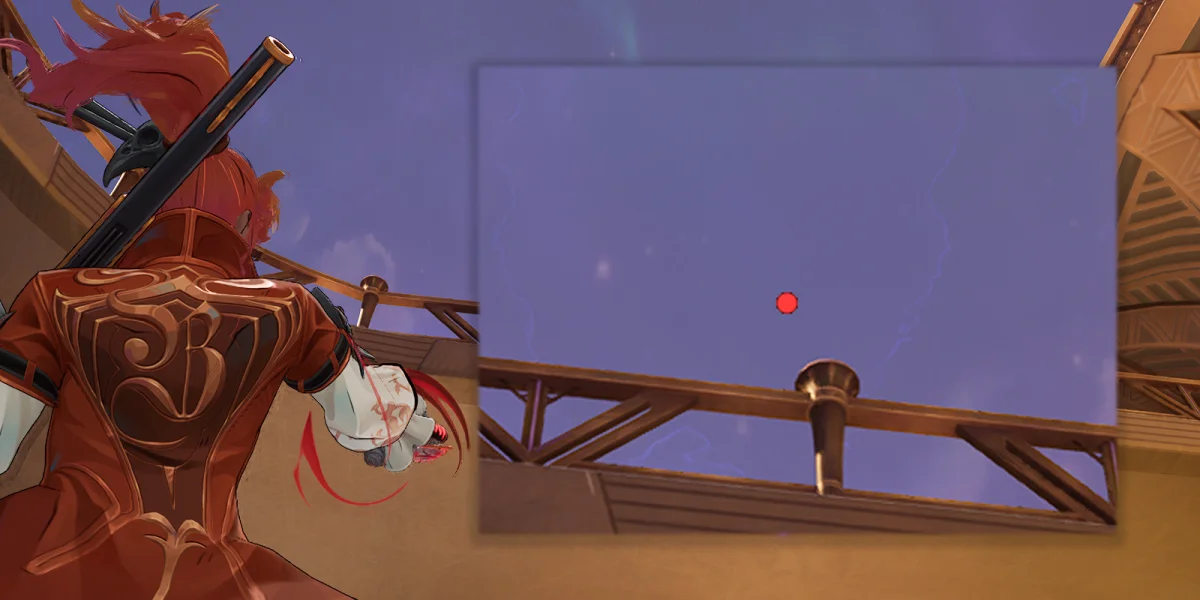
Why a Center Dot Is the Best Crosshair
A simple center dot is all you need for Elsa, and the reasoning is simple.
Her primary weapon, the Double Barrel Blaster, is technically a shotgun, but the pellet spread is much tighter than you'd expect. Compared to characters with wider spread like The Punisher, hers is minimal. You don't need a circle or wide crosshair overlay to visualize where your pellets are going. A single dot marking the center of your shot pattern gives you plenty of information.
The Monster Piercer rifle has a horizontal spread pattern, but aiming with the center dot is still the most reliable approach. There's no real benefit to adding crosshair lines or other elements for this weapon either.
Since you don't need to lead shots with either weapon, there's no reason to include dynamic crosshair elements that might help track projectile arcs. Point the dot, fire, and what you see is what you hit.
A clean dot also keeps your screen free of visual clutter, which matters more than you'd think with Elsa. Her gameplay is all about chaining mobility skills for Monster Piercer bonus damage, placing traps at the right moments, and executing combos when switching weapons. The less your crosshair distracts you from that loop, the better.
Reticle Import Code
You can skip the manual setup entirely by importing this code directly into Marvel Rivals. Copy and paste it into the reticle import field in your crosshair settings:
1;0;6.0,100.0,0.0,29.0;100.0,0.0,100.0,100.0;50.0,100.0,0.0,0.0;100.0,45.0,100.0,100.0;0.0,0.0,0.0,0.0;33.0,92.0,0.0,33.0;1.0;100.0,0.0,100.0,100.0;0.0;5,3,1,1;0.0,0.0,0.0;To import it, open your Marvel Rivals settings, go to the crosshair/reticle section, find the import option, and paste the code. Every setting listed below will apply automatically.
If you'd rather set things up by hand or just want to understand what each value does, the full breakdown is below.
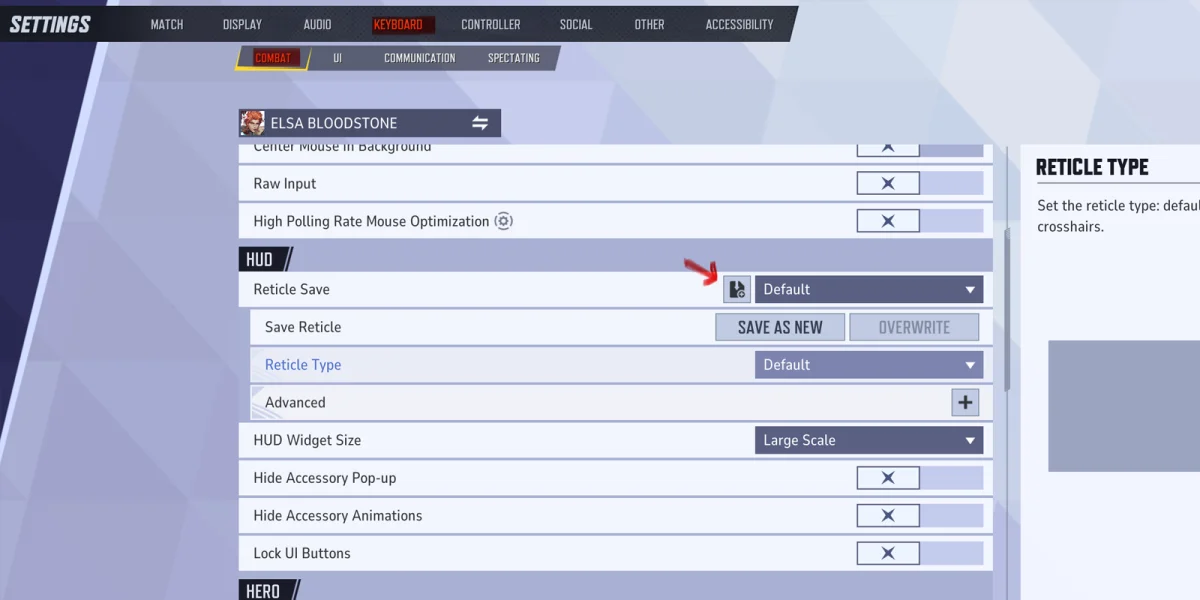
Full Crosshair Settings Breakdown
Every crosshair setting in this configuration is listed below, along with what it controls and why it's set the way it is.
Reticle Type & Animation
Reticle Type: Dot. This gives you a single center dot with no lines, circles, or other elements. It's the cleanest possible setup and the core reason this crosshair works so well for Elsa's playstyle.
Reticle Animation: Off. With animation turned off, the crosshair won't expand or contract when you move, jump, or shoot. The dot stays completely static and predictable, which is important when you're constantly swapping weapons and chaining abilities.
Dot Settings
The dot is the only active element in this crosshair, so these are the settings that matter most.
| Setting | Value | Purpose |
|---|---|---|
| Dot Width | 29 | Large enough to track during fast fights, small enough for precise aiming |
| Dot Opacity | 100 | Full visibility at all times, even against bright backgrounds |
| Dot Outline Width | 0 | No outline keeps the dot minimal and clean |
| Dot Outline Opacity | 100 | Pre-maxed so adding an outline later requires no extra adjustment |
| Dot Blur | 0 | Crisp, sharp edges for accurate aiming |
At a Dot Width of 29, the dot is large enough to track easily during fast fights but still small enough for precise aiming. If it feels too big or too small on your screen, adjust in small increments until you're comfortable. Your monitor size and resolution will affect how this looks in practice.
Crosshair Line Settings (All Inactive)
Since this setup uses only the dot, none of the crosshair line settings are in use. Crosshair Width, Opacity, Outline Width, Outline Opacity, Blur, Radius, Length, Angle, and Color are all inactive. These would control the traditional "+" shaped lines extending from the center, but Elsa doesn't need them.
Circle Settings (All Inactive)
The circle overlay is also turned off. Circle Width, Opacity, Outline Width, Outline Opacity, Blur, and Color are all inactive. Circle Radius is set to 0, which effectively disables the element entirely.
Some players like adding a small circle around the dot to approximate the shotgun's pellet spread. It's a valid option if you want that extra visual reference, but most Elsa players find it unnecessary because the Double Barrel Blaster's spread is tight enough that the center dot alone gives you all the feedback you need.
Dot Color
Color: Personal Preference. Pick whatever stands out most against the maps you play. Bright colors like cyan, magenta, green, or white are popular choices. Go with whatever is most visible and easiest on your eyes.
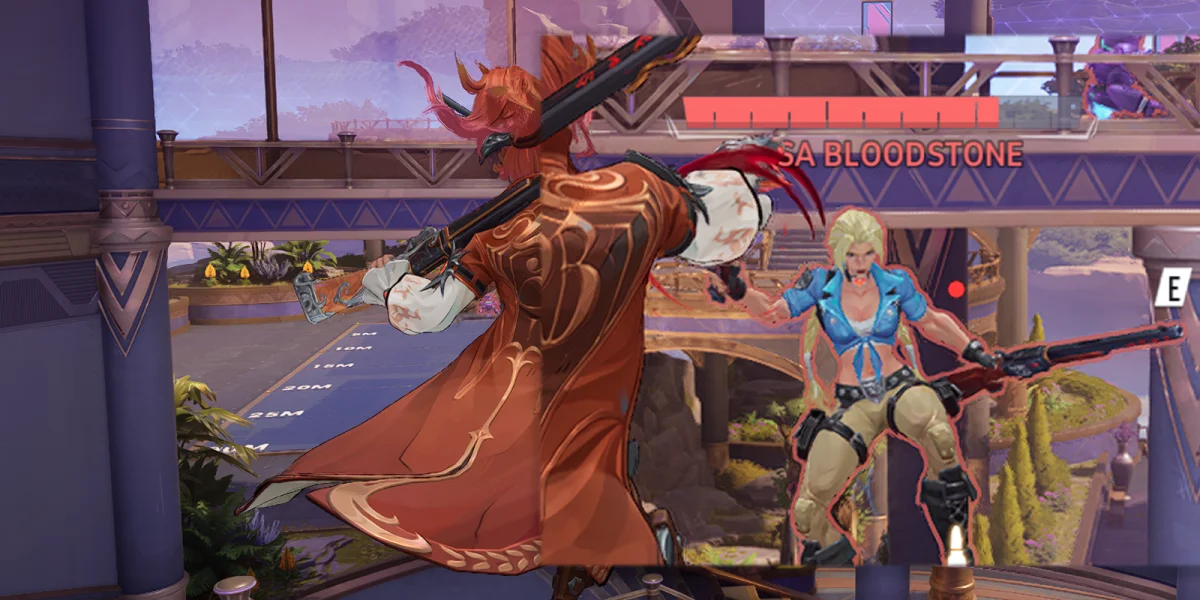
Recommended Hero Settings
These settings work alongside the crosshair setup to make sure your aim feels responsive and consistent.
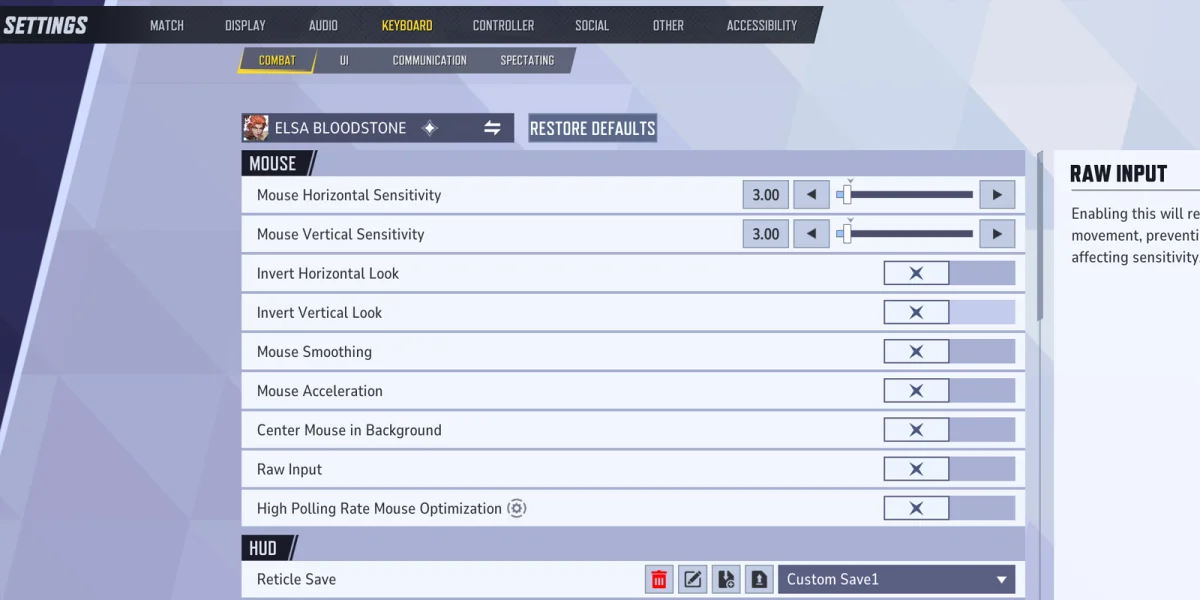
Mouse Sensitivity
| Setting | Recommended Value | Notes |
|---|---|---|
| Horizontal Sensitivity | 3 to 5 | Lower values favor rifle precision, higher values help with shotgun tracking and mobility chains |
| Vertical Sensitivity | 3 to 5 | Match to horizontal unless you have a specific reason to separate them |
Start somewhere in the middle and adjust based on what feels natural. Keeping both values the same ensures your aim feels consistent in every direction.
Mouse Input Settings
| Setting | Value | Why |
|---|---|---|
| Invert Horizontal Look | Off | Standard camera movement. Only turn on if you specifically prefer inverted controls. |
| Invert Vertical Look | Off | Standard vertical camera movement, personal preference toggle. |
| Mouse Smoothing | Off | Removes artificial interpolation so your crosshair moves exactly as your hand does. |
| Mouse Acceleration | Off | Keeps cursor speed consistent regardless of how fast you move your mouse. Builds reliable muscle memory. |
| Center Mouse in Background | Off | Affects mouse behavior when the game isn't in the foreground. Off is standard. |
| Raw Input | Off | Bypasses Windows mouse processing. Recommended configuration has this set to off. |
Smoothing adds artificial interpolation to your mouse movement, which introduces a slight delay. Acceleration changes your cursor speed based on how fast you move your mouse, which makes aim inconsistent over time. Turning both off ensures the same physical mouse distance always equals the same rotation in game. That consistency is what builds reliable muscle memory.
Display
Allied Health Bars: On. Even though Elsa is a Duelist and not a support character, seeing your teammates' health bars helps you make better decisions about when to engage, when to back off, and how to position around allies who might be low.
Getting the Most Out of This Setup
Elsa Bloodstone's strength isn't about crosshair complexity. Her kit rewards good weapon switching, smart mobility usage, and well placed traps. The dot crosshair supports all of that by staying out of your way and giving you a clear, consistent aim point.
If the dot alone doesn't give you enough visual feedback for shotgun fights, you can always add a small circle by increasing the Circle Radius from 0 and setting a Circle Width and Opacity value. Most players stick with the dot version, but it's worth trying both to see what clicks for you.
Sensitivity will come down to personal feel too. The 3 to 5 range is a solid starting point, but the right number depends on your mouse DPI, mousepad size, and how you naturally move your hand. Once you land on something that works, commit to it and give your muscle memory time to adjust.